
Courier Journal
USA TODAY Co.News & Magazines
2.6184.00 Reviews
- Version
- 8.10.3
- Installs
- 50.00K
- Age Rating
- Everyone 10+
Screenshots






Our Review of Courier Journal
 Analysis by Appyee
I installed Courier Journal expecting a focused local-news experience, and that is exactly where this app makes the most sense. It comes from USA TODAY Co. and sits in the News & Magazines category, with a mix of regional reporting, wider national coverage, photography, and video. My overall impression is practical rather than enthusiastic: it can be useful when the Courier Journal is the publication you already want to follow, but its modest 2.6 average from around 408 ratings suggests that the experience has not worked equally well for everyone.
The app is free to install, which makes trying it a low-risk decision. That does not mean every part of the reading experience is necessarily free, though. In-app purchases are listed from $19.99 to $69.99 per item, so I would treat the free download as an entry point rather than assume that unlimited access to every article or service comes without a charge. That distinction matters more here than it might with a simple headline reader.
How Courier Journal works as a daily news app
At its best, Courier Journal gives me a single place to check what is happening locally before moving on to broader stories. A local newspaper app has a different job from a general news aggregator: it should help me understand the place where I live, work, commute, or have family. National apps can tell me that a major event happened, but a local publication is more likely to provide the nearby context that makes the story useful.
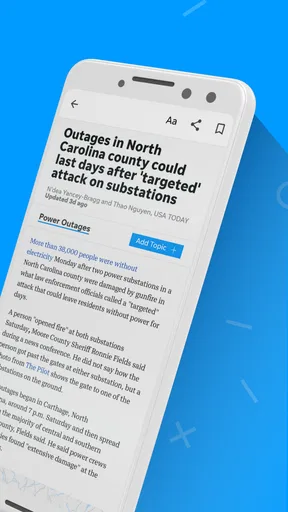
The store summary points to local and national news, photography, and video, and that combination shapes the app’s appeal. Text is important for follow-up details, while images can make a local story immediately recognizable. Video is especially helpful when a written report feels too distant from an event. I found that this mix is more engaging than a wall of headlines, although it also means the app is not aimed solely at people who want the fastest possible scan.
One practical way to use it is as a morning filter. I would open the app with a specific question in mind: what changed locally since yesterday, which public issue is developing, or whether there is anything relevant to my route and neighborhood. That approach works better than endlessly scrolling. It turns the app from a passive stream into a quick local briefing.
The strongest reason to keep Courier Journal installed is local relevance, not sheer volume. If you already follow the publication, the app can reduce the effort of checking its reporting. If you simply want a broad collection of headlines from many publishers, a general aggregator will probably feel more efficient.
What the free download really offers
The free price makes the first step straightforward: install it, explore the available sections, and decide whether the coverage matches your interests before spending anything. I appreciate that approach because local-news value is personal. A reader interested in city decisions, regional events, schools, public safety, or nearby businesses may find the reporting worthwhile, while someone who rarely reads local coverage may not.
The important financial trade-off is that the app also includes paid items ranging from $19.99 to $69.99. I would not choose a purchase simply because the app is already on my phone. Before paying, I would first read enough free material to judge three things: whether the local stories are relevant to my life, whether the presentation is comfortable for longer reading, and whether the available access fits how often I actually consume news.
This is also where the app differs from a completely free headline aggregator. An aggregator may offer a wider set of sources at no direct cost, but it can send me through several sites and may provide less consistency in local coverage. Courier Journal asks me to value one publication’s reporting more directly. That can be a good exchange for a committed local reader, but not for someone who wants maximum variety without paying for a particular outlet.
I would also avoid judging the app’s value by the download alone. The listed install count is over 50 thousand, which shows that it has reached a meaningful audience, but popularity does not tell me whether it is the right fit for my reading habits. The better test is simple: do I return because the app helps me understand local events, or only because I am curious about another headline stream?
Reading local stories alongside national coverage
Courier Journal is most useful when local and national stories are read together rather than treated as separate products. A national development can affect local government, employers, schools, transport, or household decisions. Reading the broader story first and then checking the local angle is a sensible workflow when the app provides both levels of coverage.
Photography adds another layer to that workflow. For a local event, an image can help me recognize the setting and people involved in a way that a generic article cannot. I would not install the app solely for pictures, but strong visual reporting can make it easier to decide which stories deserve a deeper read. Video serves a similar purpose when I want a quick sense of what happened before committing to a longer article.
There is a trade-off here. Rich media is more demanding than a plain list of headlines. If I am checking the news on a weak connection, in a hurry, or while trying to conserve attention, I may prefer a text-first alternative. Courier Journal’s mix is better for understanding and browsing than for the absolute quickest possible update.
A realistic everyday routine
Imagine that I am leaving home and have ten minutes before work. I open the app and scan the local section first, looking for anything that could affect my day. A short report may tell me enough to investigate later; a photo or video may quickly show the scale of an event; a national story may explain why a local issue is suddenly receiving attention. I save the most relevant topic mentally, then return during lunch when I have time to read the details.
That routine also shows where the app can disappoint. If I need an immediate traffic alert, an emergency notification, or an extremely narrow service update, I would not rely on a newspaper app as my only source. A dedicated local alert service or official channel may be more appropriate for urgent information. Courier Journal is better for reporting and context than for replacing every specialized source on my phone.
For families, the age rating of Everyone 10+ is worth noticing. It places the app in a broadly accessible range, but I would still use judgment about which stories younger readers open, because news topics can vary considerably in seriousness. The rating makes the app easier to consider for a household device, not a guarantee that every article will suit every child.
Where the experience feels less convincing
The average rating of 2.6 from around 408 ratings is the clearest warning sign I would keep in mind. A rating cannot explain every individual complaint, but it tells me not to assume that installation will be a smooth experience for all readers. I would give the app a fair trial on my own device rather than treating the store score as either a complete rejection or a recommendation.
Another source of friction is the relationship between free access and paid value. The app is free to download, but the presence of in-app purchases means that a reader must pay attention to what is available without a purchase and what requires one. That is not automatically a flaw; quality journalism can be worth paying for. Still, the decision should be based on actual reading value, not on the assumption that “free” describes the entire product.
I also think the app is less suitable for readers who want one neutral, endlessly broad news feed. Courier Journal has a publication identity and a local focus. That is its point, but it also narrows the experience. If I want technology, international affairs, sports from many regions, and several competing editorial voices in one place, I would choose a broader news service and use this app only as a local supplement.
The app has been available since June 1, 2012, and the current version is 8.10.3. I mention that because it is not a brand-new experiment; it is an established app that has had time to develop its mobile presentation. It supports devices running Android 8.0 or later, so anyone using an older phone should check compatibility before planning around it.
Small decisions that improve the experience
My first tip is to use the app with a purpose instead of treating it as an infinite distraction. Start with local coverage, then move to national stories only when they connect to something you care about. This makes the publication’s strongest advantage—regional context—more visible and helps prevent the broader feed from becoming indistinguishable from any other news app.
My second tip is to separate discovery from deep reading. Photography and video are useful for deciding which stories deserve attention, while text is where I would look for the full explanation. If I have only a minute, I scan the visual material and headlines; if the subject affects my community or decisions, I return for the article rather than relying on the first impression.
My third tip is financial: do not buy immediately after installing. Read enough to learn whether the local reporting is something you will use repeatedly. Then compare the listed purchase range with your actual reading frequency. A regular local-news reader may see paid access differently from someone who opens the app only during a major event.
A fourth, less obvious point is to pair the app with—not substitute it for—official information when the stakes are immediate. Newspaper reporting can provide explanation and follow-up, but official sources are usually the place I would verify operational details such as a closure, deadline, or emergency instruction. Using Courier Journal for context and official channels for direct instructions is a safer workflow than asking one app to do both jobs.
Who will get the most from it
I would recommend Courier Journal first to people who have a meaningful connection to the area it covers and want local reporting in a mobile format. It is also a reasonable choice for readers who enjoy seeing stories through a combination of writing, photography, and video rather than reading only short headline summaries.
It may suit someone who has moved away but still wants to follow developments back home. In that case, the national section can provide a wider frame while the local material preserves the connection that a generic national app cannot. The value depends on whether the publication’s coverage overlaps with the places and subjects that matter to you.
I would be more cautious about recommending it to a reader who wants a completely free, multi-source news experience. The paid items make the cost question important, and the app’s focused editorial identity may feel restrictive if variety is the main goal. It is also not my first choice for urgent alerts, specialist reporting, or readers who prefer a minimal text-only interface.
For a casual user, the free installation still makes experimentation sensible. Try it during an ordinary week rather than only during a major news event. That gives a more honest view of whether the daily coverage earns a place on the home screen. If I open it repeatedly for useful local context, the purchase question becomes meaningful; if I forget it after the first visit, there is no reason to force the relationship.
My buy-or-skip verdict
My verdict is to try Courier Journal for free if local coverage is genuinely important to you, but to approach paid access deliberately. The app delivers its best value through regional reporting supported by national stories, photography, and video. That is a clear purpose, and it is more useful than a generic headline feed when I need to understand what is happening close to home.
I would skip it if I want a broad, source-neutral news aggregator, a specialized alert tool, or a reading experience with no possibility of paid access. The 2.6 average also means I would not recommend installing it blindly and assuming the experience will suit every device or reader. Give it a short, practical test and pay attention to how often the local reporting actually helps you.
For me, the app is a conditional recommendation rather than an automatic one. Its free entry makes evaluation easy, while the listed in-app purchase range means the real value depends on the quality and frequency of access I need. If Courier Journal is the publication that covers the community I care about, it can be a worthwhile news companion. If not, a broader alternative will probably offer better value without asking me to commit to one local source.
Developed by USA TODAY Co., it remains a focused News & Magazines app rather than an all-purpose information hub. That focus is both its strength and its limit. I would keep it for local understanding, use official sources for urgent instructions, and only pay when the reporting has proven useful in my everyday routine.
Verdict
Strengths of Courier Journal
- Easy access to local news, updates, and community stories in one app.
- Clean layout makes browsing headlines and sections straightforward.
- Breaking news alerts help users stay informed about important local events.
- Supports personalized reading through saved articles and favorite topics.
- Includes multimedia content such as photos, videos, and interactive stories.
Limitations of Courier Journal
- Some articles or features may require a paid digital subscription.
- Advertising can interrupt reading and reduce the available screen space.
- Push notifications may feel frequent unless carefully customized.
- Content is mainly focused on the Courier Journal’s coverage area.
- App performance and loading times may vary with slower connections.
Other Releases by USA TODAY Co.
View All
IndyStar: Indianapolis Star
News & Magazines2.7

AZ Central: Arizona Republic
News & Magazines2.5

The Detroit News: Local News
News & Magazines3.1

Detroit Free Press: Freep
News & Magazines3.0
Similar Picks in This Category
View All
Google News - Daily Headlines
Google LLC4.0

X
X Corp.4.8

Flipboard:Your Social Magazine
Flipboard3.4

Opera News: breaking & local
Opera4.5

Hindi News by Dainik Bhaskar
Dainik Bhaskar Group4.0

Way2News Daily News App
Way2News ( Formerly Way2SMS )4.6
Frequently Asked Questions
What is Courier Journal?
Courier Journal is the mobile app for the Courier Journal newspaper, providing access to local, regional, and national news from the Louisville area and beyond. After installing it, readers can browse the latest headlines, read full articles, follow important community stories, and stay informed through a convenient smartphone or tablet experience.
Is Courier Journal free to download and use?
The Courier Journal app can generally be downloaded at no cost, allowing users to explore the app and read selected content. However, access to the complete article library may require a subscription or an account, depending on the current offer and account status. Pricing, trial periods, and subscription terms should be checked in the app before subscribing.
What type of content can I find in Courier Journal?
The app covers a broad range of topics, including breaking local news, politics, crime, education, sports, business, entertainment, lifestyle, and opinion. Its strongest focus is on Louisville and surrounding communities, making it useful for readers who want detailed regional reporting as well as selected national and statewide stories.
Does Courier Journal send notifications?
Yes, Courier Journal may provide push notifications for breaking news, major local developments, sports updates, and other important stories. Notifications can be useful when you want immediate updates, but frequent alerts may become distracting. Fortunately, you can usually manage notification permissions through the app settings or your device’s system settings.
Can I read Courier Journal articles offline?
Offline reading availability may depend on the app version, subscription features, and the type of content being accessed. In general, the app is designed primarily for online reading, so an internet connection is recommended for the latest news, images, videos, and updates. Users should check whether saved or downloaded articles are supported on their device.
